UniApp基础教程(十五)
uniapp分享功能
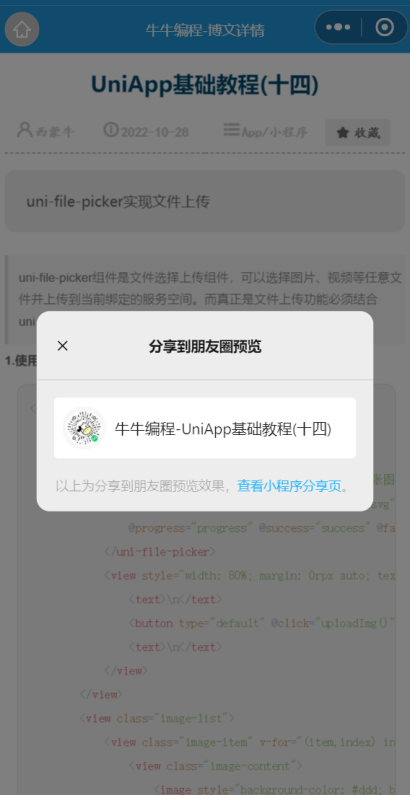
uniapp的第三方服务提供了不同的平台的分享实现。这里以微信小程序的分享到朋友或者朋友圈为示例。
1. 在util目录下创建一个share.js文件
export default {
    data() {
        return {

        }
    },
    onLoad: function() {
        wx.showShareMenu({
            withShareTicket: true,
            menus: ["shareAppMessage", "shareTimeline"]
        })
    },

    //分享功能实现,包括按钮触发和菜单触发
    onShareAppMessage(res) {
        let that = this;
        let imageUrl = that.shareUrl || '';
        if (res.from === 'button') {
            //这块需要传参,不然链接地址进去获取不到数据
            let path = `/` + that.$scope.route + `?aid=` + that.$scope.options.aid;
            return {
                title: that.article.title,
                path: path,
                imageUrl: 'https://img.simoniu.com/simoniuapp_logo_160.png'
            };
        }
        if (res.from === 'menu') {
            return {
                title: that.article.title,
                path: '/pagesB/course/details?aid='+that.$scope.options.aid,
                imageUrl: 'https://img.simoniu.com/simoniuapp_logo_160.png'
            };
        }
    },
    // 分享到朋友圈
    onShareTimeline() {
        let that = this;
        return {
            title: '牛牛编程-'+that.article.title,
            path: '/pagesB/course/details?aid='+that.$scope.options.aid,
            imageUrl: 'https://img.simoniu.com/simoniuapp_logo_320_white.jpg'
        };
    },
    methods: {

    }
}
2.在main.js中引入share.js
...
// main.js

import share from "./util/share.js";

Vue.mixin(share);
3.页面内添加按钮触发分享事件
<view>
  <button class="shareBtn" type="default" data-name="shareBtn" open-type="share">分享</button>
</view>
运行效果: