UniApp基础教程(十三)
悬浮按钮和弹出层效果
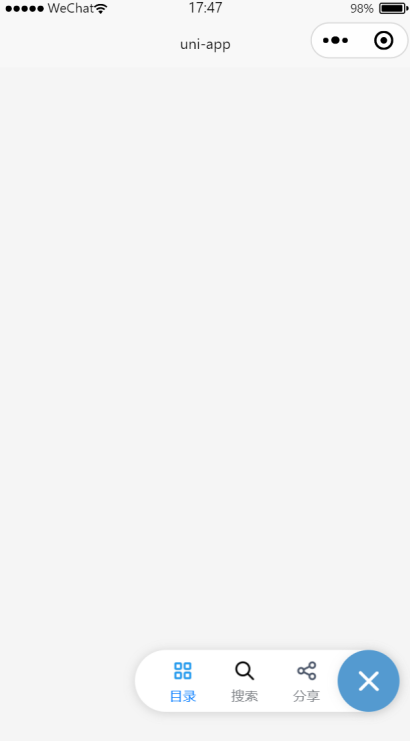
uni-fab 是点击可展开一个图形按钮菜单组件。uni-popup 弹出层组件,用于在应用中弹出一个消息提示窗口、提示框等效果。
1.悬浮按钮和弹出层效果
<template>
    <view>
        <view class="container">

            <uni-fab ref="fab" :pattern="pattern" :content="content" :horizontal="horizontal" :vertical="vertical"
                :direction="direction" @trigger="trigger" @fabClick="fabClick" />

        </view>

        <view>
            <!-- 普通遮罩层 -->
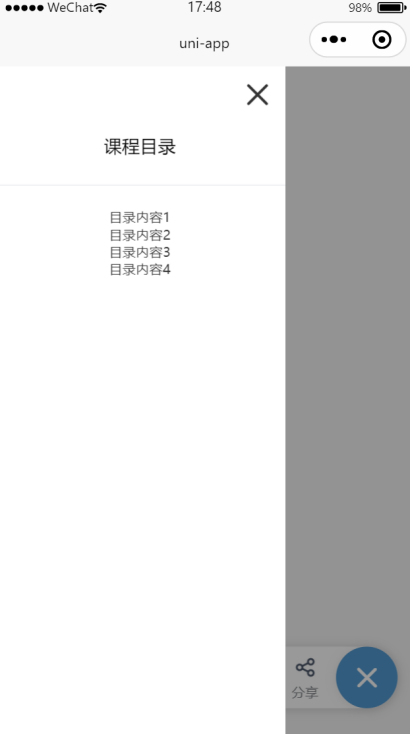
            <uni-popup ref="popup" background-color="#fff">
                <view style="padding: 20rpx; text-align: right;">
                    <uni-icons type="closeempty" size="30" @click="hidePopup"></uni-icons>
                </view>
                <view class="popup-content" :class="{ 'popup-height': type === 'left' || type === 'right' }">
                    <text>课程目录</text>
                </view>
                <u-divider></u-divider>
                <view class="text" style="text-align: center;">
                    <text class="text-item">目录内容1\n</text>
                    <text class="text-item">目录内容2\n</text>
                    <text class="text-item">目录内容3\n</text>
                    <text class="text-item">目录内容4\n</text>
                </view>
            </uni-popup>
        </view>

        <view>
            <!-- 分享示例 -->
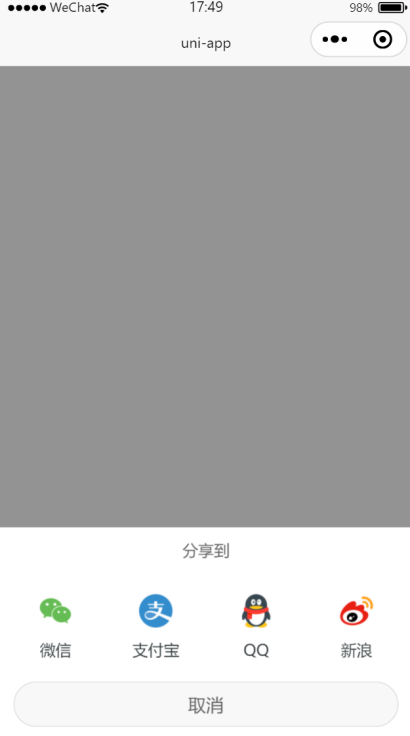
            <uni-popup ref="share" type="share" safeArea backgroundColor="#fff">
                <uni-popup-share></uni-popup-share>
            </uni-popup>
        </view>
    </view>
</template>

<script>
    export default {

        data() {
            return {
                title: 'uni-fab',
                directionStr: '垂直',
                horizontal: 'right',
                vertical: 'bottom',
                direction: 'horizontal',
                pattern: {
                    color: '#7A7E83',
                    backgroundColor: '#fff',
                    selectedColor: '#007AFF',
                    buttonColor: '#549ad0',
                    iconColor: '#fff'
                },
                is_color_type: false,
                content: [{
                        iconPath: '/static/fab/unselect/course.png',
                        selectedIconPath: '/static/fab/selected/course.png',
                        text: '目录',
                        active: true
                    },
                    {
                        iconPath: '/static/fab/unselect/search.png',
                        selectedIconPath: '/static/fab/selected/search.png',
                        text: '搜索',
                        active: false
                    },
                    {
                        iconPath: '/static/fab/unselect/share2.png',
                        selectedIconPath: '/static/fab/selected/share2.png',
                        text: '分享',
                        active: false
                    }
                ]
            }
        },
        onLoad() {

        },
        methods: {

            trigger(e) {
                console.log(e)
                for (let i = 0; i < this.content.length; i++) {
                    if (i == e.index) {
                        this.content[i].active = true;
                    } else {
                        this.content[i].active = false;
                    }
                }

                if (e.item.text === '目录') {
                    this.toggle('left');
                }
                if(e.item.text === '搜索'){
                    uni.showModal({
                        title: '提示',
                        content: '您选中了搜索',
                        success: function(res) {
                            if (res.confirm) {
                                console.log('用户点击确定')
                            } else if (res.cancel) {
                                console.log('用户点击取消')
                            }
                        }
                    })
                }
                if(e.item.text === '分享'){
                    this.shareToggle();
                }

            },
            fabClick() {
                console.log('点击了悬浮按钮...');
            },

            toggle(type) {
                this.type = type
                // open 方法传入参数 等同在 uni-popup 组件上绑定 type属性
                this.$refs.popup.open(type);
            },

            shareToggle() {
                this.$refs.share.open()
            },

            hidePopup() {
                this.$refs.popup.close();
            }
        }
    }
</script>

<style lang="scss" scoped>
    .container {
        width: 98%;
        height: auto;
        font-size: 14px;
        text-align: start;
        margin: 0rpx auto;
    }

    @mixin flex {
        /* #ifndef APP-NVUE */
        display: flex;
        /* #endif */
        flex-direction: row;
    }

    @mixin height {
        /* #ifndef APP-NVUE */
        height: 100%;
        /* #endif */
        /* #ifdef APP-NVUE */
        flex: 1;
        /* #endif */
    }

    .popup-content {
        @include flex;
        align-items: center;
        justify-content: center;
        padding: 10px;
        height: 20px;
        width: 480rpx;
        background-color: #fff;
    }

    .popup-height {
        @include height;
        width: 480rpx;
    }

    .text {
        font-size: 12px;
        color: #333;
        padding: 10rpx;
    }

    .text-item {
        margin: 10rpx;
        padding: 10rpx;
        height: 20rpx;
    }
</style>
运行效果: