UniApp基础教程(八)
安装uView模块
uView是uni-app生态专用的UI框架,能够适配多平台的快速开发的UI框架。
1.HbuilderX安装uView.
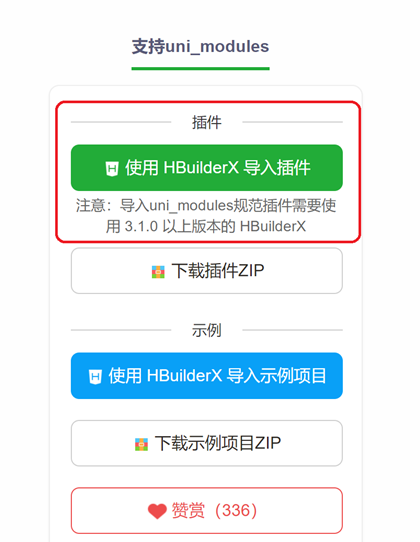
如果是使用HbuilderX开发的用户,可以在uni-app插件市场通过uni_modules的形式进行安装,此安装方式可以方便您后续在uni_modules对uView进行一键升级。
下载地址:https://ext.dcloud.net.cn/plugin?id=1593
2.下载配置方式
1)安装SCSS依赖 如果项目是由HBuilderX创建的,相信已经安装scss插件,如果没有,请在HX菜单的 工具->插件安装中找到"scss/sass编译"插件进行安装, 如不生效,重启HX即可。
2)引入uView主JS库 在项目根目录中的main.js中,引入并使用uView的JS库,注意这两行要放在import Vue之后。
// main.js
import uView from "@/uni_modules/uview-ui/index.js";
Vue.use(uView);
3)在引入uView的全局SCSS主题文件
/* uni.scss */
@import '@/uni_modules/uview-ui/theme.scss';
4)引入uView基础样式
<style lang="scss">
    /* 注意要写在第一行,同时给style标签加入lang="scss"属性 */
    @import "@/uni_modules/uview-ui/index.scss";
</style>
5)配置easycom组件模式
此配置需要在项目根目录的pages.json中进行。
// pages.json
{
    // 如果您是通过uni_modules形式引入uView,可以忽略此配置
    "easycom": {
    "^u-(.*)": "@/uni_modules/uview-ui/components/u-$1/u-$1.vue"
     },

     // 此为本身已有的内容
     "pages": [
    // ......
     ]
}
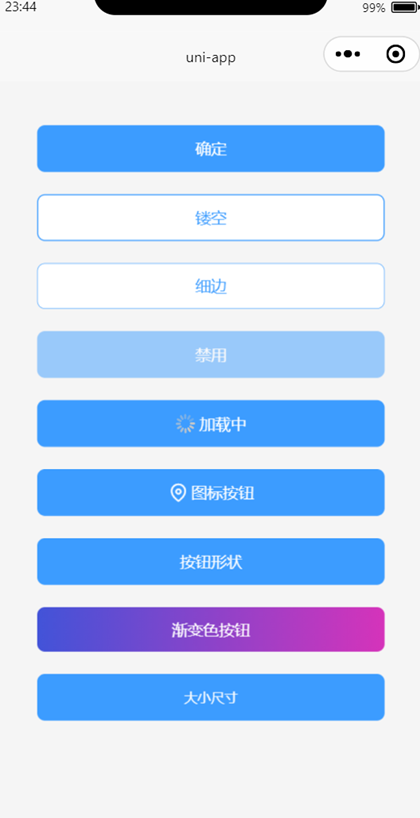
3.pages/index/index.vue 添加u-button组件测试
<template>
    <view class="container">
        <view>
            <u-button :customStyle="btnGetCode" type="primary" text="确定"></u-button>
            <u-button :customStyle="btnGetCode" type="primary" :plain="true" text="镂空"></u-button>
            <u-button :customStyle="btnGetCode" type="primary" :plain="true" :hairline="true" text="细边"></u-button>
            <u-button :customStyle="btnGetCode" type="primary" :disabled="disabled" text="禁用"></u-button>
            <u-button :customStyle="btnGetCode" type="primary" loading loadingText="加载中"></u-button>
            <u-button :customStyle="btnGetCode" type="primary" icon="map" text="图标按钮"></u-button>
            <u-button :customStyle="btnGetCode" type="primary" shape="circle" text="按钮形状"></u-button>
            <u-button :customStyle="btnGetCode" text="渐变色按钮"
                color="linear-gradient(to right, rgb(66, 83, 216), rgb(213, 51, 186))">
            </u-button>
            <u-button :customStyle="btnGetCode" type="primary" size="small" text="大小尺寸"></u-button>
        </view>
    </view>
</template>

<script>
    export default {
        data() {
            return {
                disabled: true,
                btnGetCode: {
                    borderRadius: '7px', //驼峰命名注意
                    height: '34px',
                    padding: '40rpx',
                    margin: '40rpx 0 40rpx 0'
                }
            }
        },
        methods: {
        }
    }
</script>

<style lang="scss" scoped>
    .container {
        margin: 0px auto;
        width: 80%;
        height: auto;
        padding: 20px;
        font-size: 14px;
        line-height: 24px;
    }
</style>
运行效果: