UniApp基础教程(三)
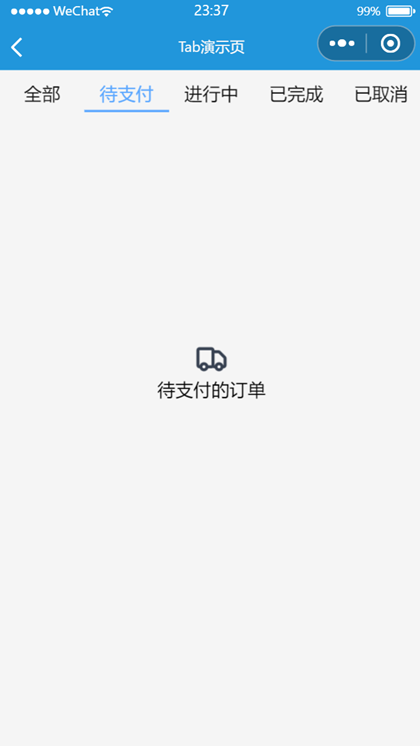
Tab效果
uniapp本身并没有tab组件,需要自定义tab组件。
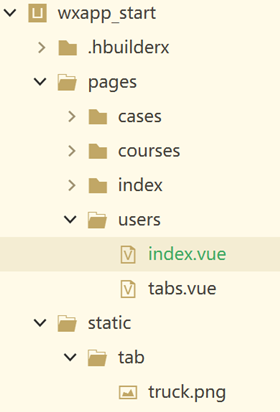
项目结构图:
1.users/index.vue
<template>
    <view>
        <view>
            <view>
                <text>
                    \n\n
                </text>
            </view>

            <view style="padding: 40rpx;">
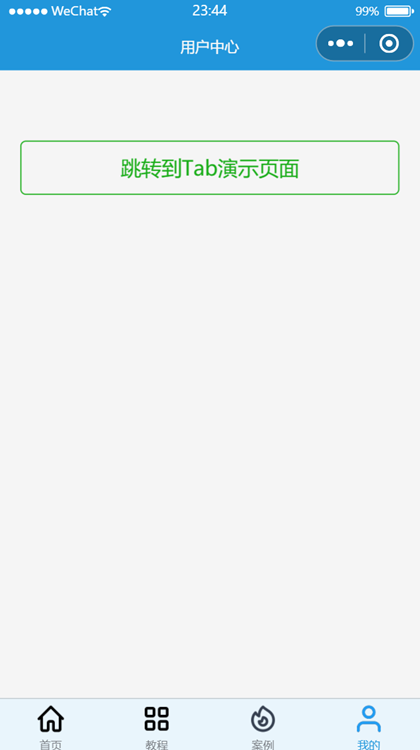
                <button type="primary" plain="true" @tap="toLogin()">跳转到Tab演示页面</button>
            </view>
        </view>
    </view>
</template>

<script>
    export default{
        data(){
            return{
                title: ''
            }
        },
        methods:{
            toLogin(){
                uni.navigateTo({
                    url: '/pages/users/tabs'
                })
            }
        }
    }
</script>

<style>
    .center_title {
        size: 20rpx;
    }
</style>
2.users/tabs.vue
<template>
    <view class="content">
        <!-- <text>我的订单</text> -->
        <view>
            <view class="tabs">
                <view :class="['tabs-item',index==0?'tabs-item-tag':'']" @click="changeTab(0)">全部</view>
                <view :class="['tabs-item',index==1?'tabs-item-tag':'']" @click="changeTab(1)">待支付</view>
                <view :class="['tabs-item',index==2?'tabs-item-tag':'']" @click="changeTab(2)">进行中</view>
                <view :class="['tabs-item',index==3?'tabs-item-tag':'']" @click="changeTab(3)">已完成</view>
                <view :class="['tabs-item',index==4?'tabs-item-tag':'']" @click="changeTab(4)">已取消</view>
            </view>
            <view :class="[index==0?'item':'']" v-show="index==0">
                <image src="/static/tab//truck.png"></image>
                <text>全部订单</text>
            </view>
            <view :class="[index==1?'item':'']" v-show="index==1">
                <image src="/static/tab//truck.png"></image>
                <text>待支付的订单</text>
            </view>
            <view :class="[index==2?'item':'']" v-show="index==2">
                <image src="/static/tab//truck.png"></image>
                <text>进行中的订单</text>
            </view>
            <view :class="[index==3?'item':'']" v-show="index==3">
                <image src="/static/tab//truck.png"></image>
                <text>已完成的订单</text>
            </view>
            <view :class="[index==4?'item':'']" v-show="index==4">
                <image src="/static/tab//truck.png"></image>
                <text>已取消的订单</text>
            </view>
        </view>
    </view>
</template>

<script>
    export default {
        data() {
            return {
                // 默认显示0
                index: 0,
            };
        },
        methods: {
            // 切换
            changeTab(index) {
                this.index = index;
                console.log('当前tab编号:' + index)
            }
        }
    }
</script>

<style lang="scss">
    .content {
        .tabs {
            height: 60rpx;
            display: flex;
            margin-top: 10rpx;

            .tabs-item {
                // 平均分布
                flex: 1;
                text-align: center;
                color: #111111;
                height: 60rpx;
                line-height: 60rpx;
            }

            .tabs-item-tag {
                color: #5BA7FF;
                border-bottom: 4rpx solid #5BA7FF;
            }
        }

        .item {
            padding: 10rpx;
            display: grid;

            image {
                width: 64rpx;
                height: 64rpx;
                margin: auto;
                margin-top: 400rpx;
            }

            text {
                text-align: center;
            }
        }
    }
</style>
运行效果: