设计模式基础教程(二十九)
观察者模式
1.观察者模式
建立一种对象与对象之间的依赖关系,一个对象发生改变时将自动通知其他对象,其他对象将相应做出反应。在此,发生改变的对象称为观察目标,而被通知的对象称为观察者,一个观察目标可以对应多个观察者,而且这些观察者之间没有相互联系,可以根据需要增加和删除观察者,使得系统更易于扩展,这就是观察者模式的模式动机。
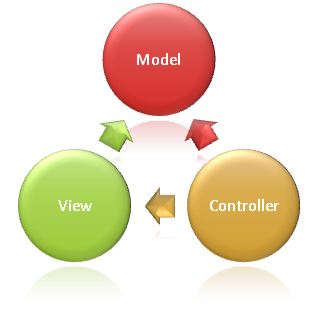
观察者模式(Observer Pattern):定义对象间的一种一对多依赖关系,使得每当一个对象状态发生改变时,其相关依赖对象皆得到通知并被自动更新。观察者模式又叫做发布-订阅(Publish/Subscribe)模式、模型-视图(Model/View)模式、源-监听器(Source/Listener)模式或从属者(Dependents)模式。观察者模式是一种对象行为型模式。
观察者模式包含如下角色: - Subject: 目标 - ConcreteSubject: 具体目标 - Observer: 观察者 - ConcreteObserver: 具体观察者
2.实例
自定义登录控件,中国银行登录控件要求用户名和密码不能为空。中国移动登录控件要求用户名和密码必须不同。
Java事件处理模型中应用了观察者模式,下面通过一个实例来学习如何自定义Java控件,并给该控件增加相应的事件。该实例基于Java Swing/AWT控件,在Swing/AWT的相关类中封装了对事件的底层处理。
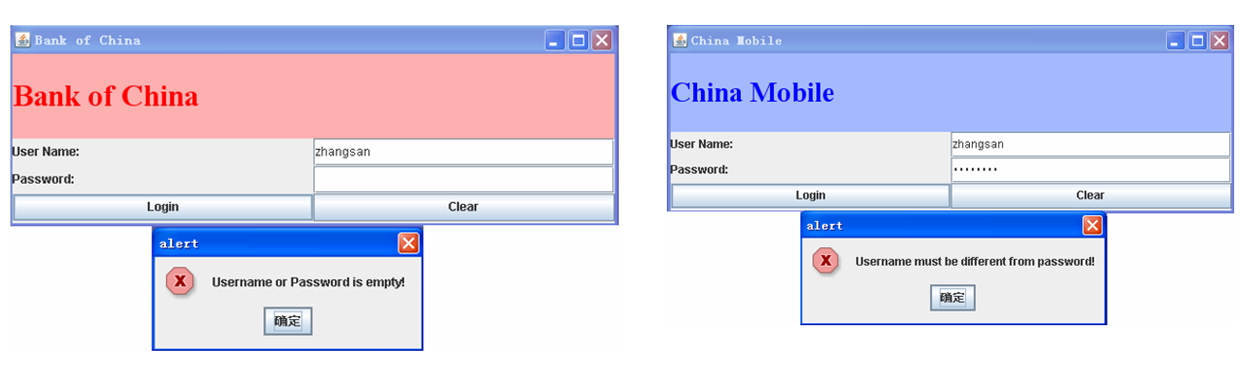
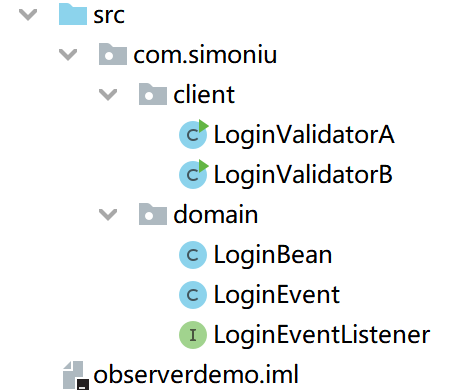
项目结构图如下:
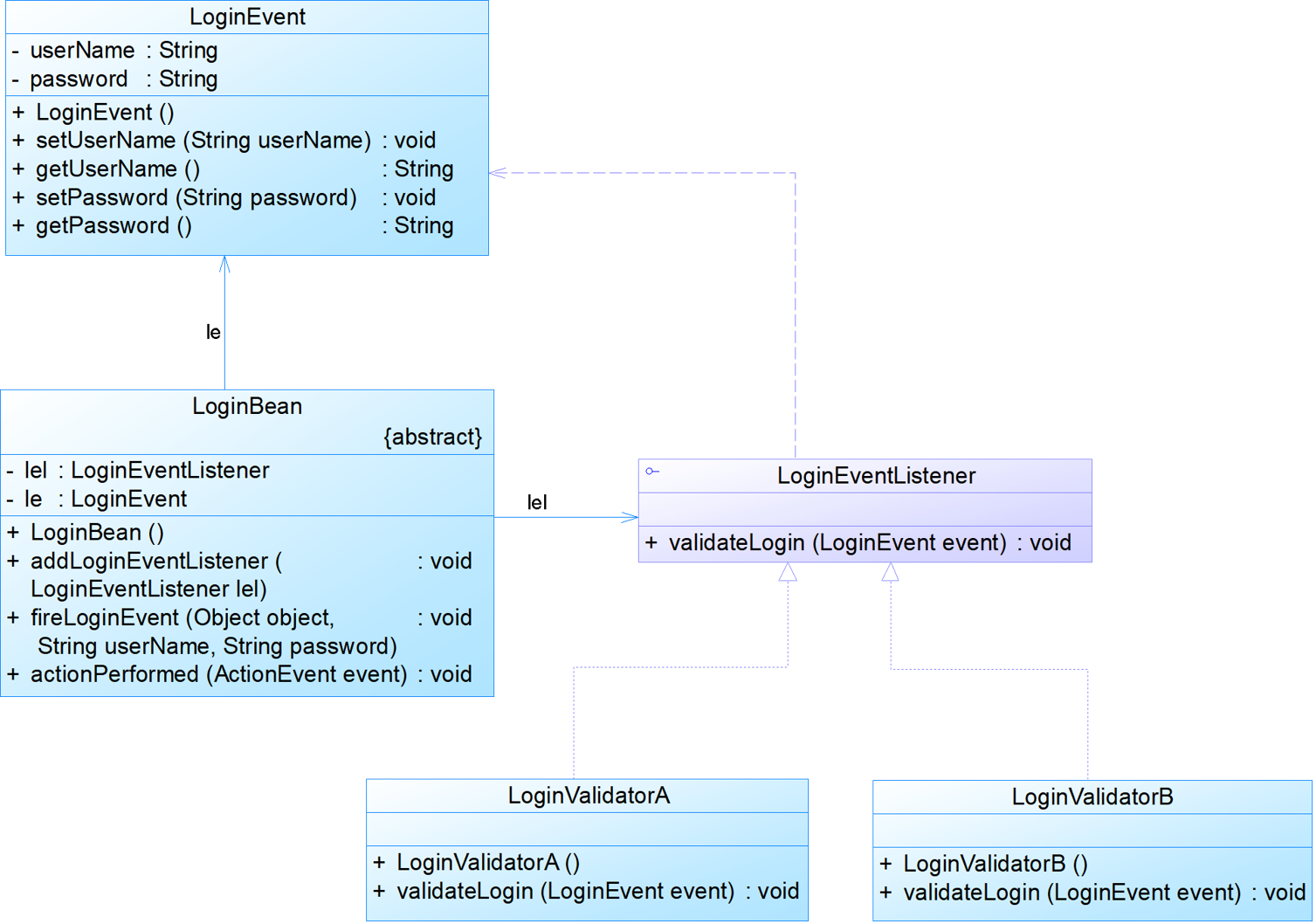
定义登录控件类
public class LoginBean extends JPanel implements ActionListener {
    private JLabel labUserName, labPassword;
    private JTextField txtUserName;
    private JPasswordField txtPassword;
    private JButton btnLogin, btnClear;

    private LoginEventListener lel;  //Abstract Observer

    private LoginEvent le;

    public LoginBean() {
        this.setLayout(new GridLayout(3, 2));
        labUserName = new JLabel("User Name:");
        add(labUserName);

        txtUserName = new JTextField(20);
        add(txtUserName);

        labPassword = new JLabel("Password:");
        add(labPassword);

        txtPassword = new JPasswordField(20);
        add(txtPassword);

        btnLogin = new JButton("Login");
        add(btnLogin);

        btnClear = new JButton("Clear");
        add(btnClear);

        btnClear.addActionListener(this);
        btnLogin.addActionListener(this);//As a concrete observer for another subject,ActionListener as the abstract observer.
    }

    //Add an observer.
    public void addLoginEventListener(LoginEventListener lel) {
        this.lel = lel;
    }

    //private or protected as the notify method
    private void fireLoginEvent(Object object, String userName, String password) {
        le = new LoginEvent(btnLogin, userName, password);
        lel.validateLogin(le);
    }

    @Override
    public void actionPerformed(ActionEvent event) {
        if (btnLogin == event.getSource()) {
            String userName = this.txtUserName.getText();
            String password = this.txtPassword.getText();

            fireLoginEvent(btnLogin, userName, password);
        }
        if (btnClear == event.getSource()) {
            this.txtUserName.setText("");
            this.txtPassword.setText("");
            this.txtUserName.requestFocus();
        }
    }
}
定义登录事件
public class LoginEvent extends EventObject {
    private String userName;
    private String password;

    public LoginEvent(Object source, String userName, String password) {
        super(source);
        this.userName = userName;
        this.password = password;
    }

    public String getUserName() {
        return userName;
    }

    public void setUserName(String userName) {
        this.userName = userName;
    }

    public String getPassword() {
        return password;
    }

    public void setPassword(String password) {
        this.password = password;
    }
}
登录事件监听器接口
public interface LoginEventListener extends EventListener {
    void validateLogin(LoginEvent event);
}
中国银行的登录事件监听
public class LoginValidatorA extends JFrame implements LoginEventListener {
    private JPanel p;
    private LoginBean lb;
    private JLabel lblLogo;

    public LoginValidatorA() {
        super("Bank of China");
        p = new JPanel();
        this.getContentPane().add(p);
        lb = new LoginBean();
        lb.addLoginEventListener(this);

        Font f = new Font("Times New Roman", Font.BOLD, 30);
        lblLogo = new JLabel("Bank of China");
        lblLogo.setFont(f);
        lblLogo.setForeground(Color.red);

        p.setLayout(new GridLayout(2, 1));
        p.add(lblLogo);
        p.add(lb);
        p.setBackground(Color.pink);
        this.setSize(600, 200);
        this.setVisible(true);
    }

    public void validateLogin(LoginEvent event) {
        String userName = event.getUserName();
        String password = event.getPassword();

        if (0 == userName.trim().length() || 0 == password.trim().length()) {
            JOptionPane.showMessageDialog(this, new String("Username or Password is empty!"), "alert", JOptionPane.ERROR_MESSAGE);
        } else {
            JOptionPane.showMessageDialog(this, new String("Login Success!"), "alert", JOptionPane.INFORMATION_MESSAGE);
        }
    }

    public static void main(String args[]) {
        JFrame loginFrame =  new LoginValidatorA();
        loginFrame.setVisible(true);//可见
        loginFrame.setLocationRelativeTo(null); //水平垂直居中
        loginFrame.setDefaultCloseOperation(JFrame.EXIT_ON_CLOSE);//默认关闭窗口
    }
}
中国移动的登录事件监听
public class LoginValidatorB extends JFrame implements LoginEventListener {
    private JPanel p;
    private LoginBean lb;
    private JLabel lblLogo;

    public LoginValidatorB() {
        super("China Mobile");
        p = new JPanel();
        this.getContentPane().add(p);
        lb = new LoginBean();
        lb.addLoginEventListener(this);

        Font f = new Font("Times New Roman", Font.BOLD, 30);
        lblLogo = new JLabel("China Mobile");
        lblLogo.setFont(f);
        lblLogo.setForeground(Color.blue);

        p.setLayout(new GridLayout(2, 1));
        p.add(lblLogo);
        p.add(lb);
        p.setBackground(new Color(163, 185, 255));
        this.setSize(600, 200);
        this.setVisible(true);
    }

    public void validateLogin(LoginEvent event) {
        String userName = event.getUserName();
        String password = event.getPassword();

        if (userName.equals(password)) {
            JOptionPane.showMessageDialog(this, new String("Username must be different from password!"), "alert", JOptionPane.ERROR_MESSAGE);
        } else {
            JOptionPane.showMessageDialog(this, new String("Login Success!"), "alert", JOptionPane.INFORMATION_MESSAGE);
        }
    }

    public static void main(String args[]) {
        JFrame loginFrame = new LoginValidatorB();
        loginFrame.setVisible(true);//可见
        loginFrame.setLocationRelativeTo(null); //水平垂直居中
        loginFrame.setDefaultCloseOperation(JFrame.EXIT_ON_CLOSE);//默认关闭窗口
    }
}