Vue3基础教程(四)
第一个Typescript程序
1.安装Typescript 全局安装 TypeScript:
npm install -g typescript
安装完成后,在控制台运行如下命令,检查安装是否成功(4.x):
tsc -V
2.编写第一个Typescript例子
在项目的js目录下,新建hello.ts
export {}
let name = '张三';
//这里使用了typescript类型注解语法规定了形参的数据类型
function sayHello(name: string) {
    console.log(`hello:${name}`);
}

sayHello(name);
在js目录终端下输入以下命令编译ts文件为js
tsc hello.ts
编译后的hello.js文件如下:
"use strict";
Object.defineProperty(exports, "__esModule", { value: true });
var name = '张三';
function sayHello(name) {
    console.log("hello:" + name);
}
sayHello(name);
运行编译后的js文件,在终端输入以下命令:
node hello.js
运行结果:
hello:张三
3.webstorm自动编译ts文件
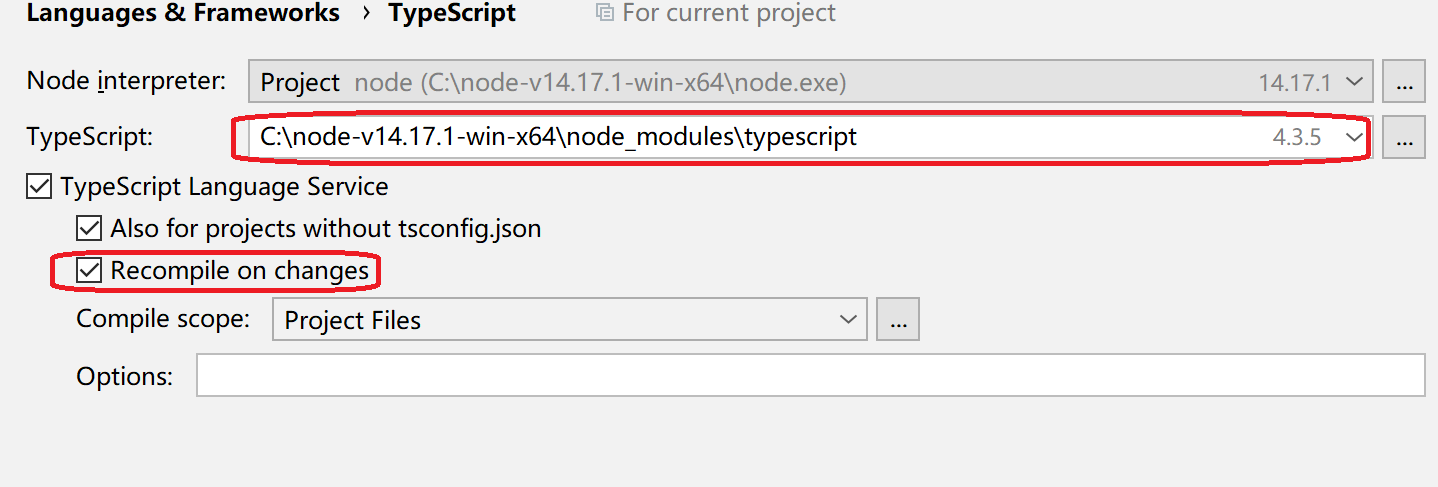
打开设置 Languages & Frameworks > TypeScript
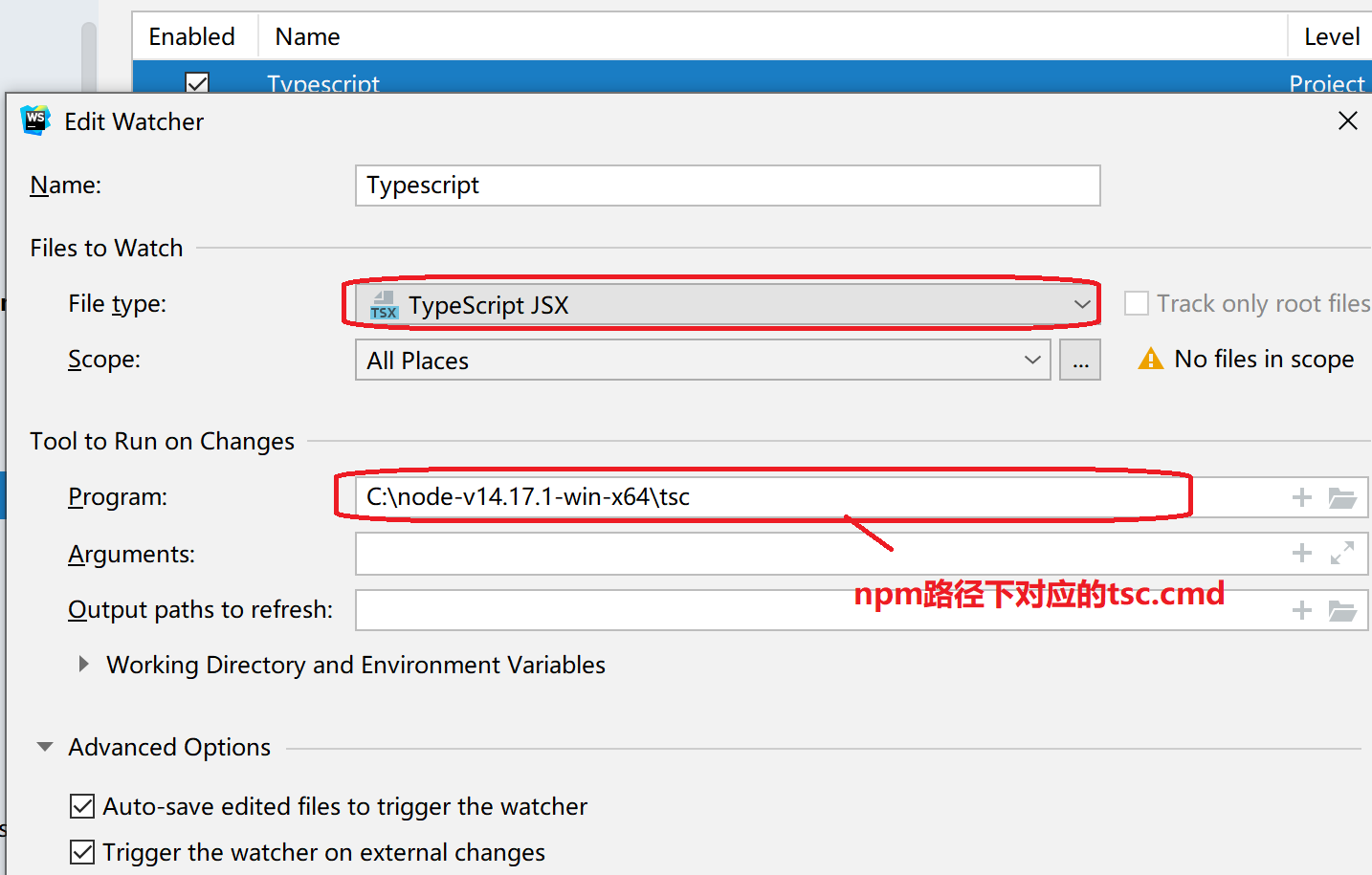
打开设置 Tools > File Watchers,右侧添加一个。