CSS3基础教程(十五)
讲解CSS3的z-index
z-index 属性指定一个元素的堆叠顺序。 拥有更高堆叠顺序的元素总是会处于堆叠顺序较低的元素的前面。 注意: z-index 进行定位元素(position:absolute, position:relative, or position:fixed)。
实例:
<!DOCTYPE html>
<html lang="zh">
<head>
    <meta charset="UTF-8">
    <title>Title</title>
    <style>
        img
        {
            position:absolute;
            left:0px;
            top:0px;
            z-index:-1;
            opacity:0.2; /*设置背景图片透明度*/
        }
    </style>
</head>
<body>
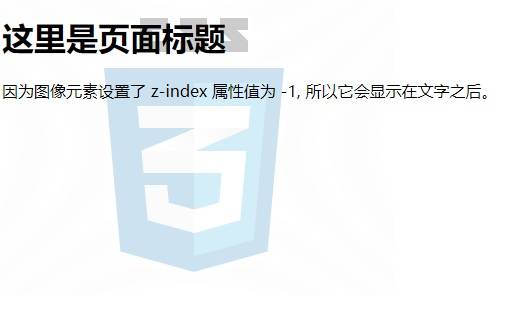
<h1>这里是页面标题</h1>
<img src="http://img.simoniu.com/CSS%E7%AE%80%E4%BB%8B02.jpg"/>
<p>因为图像元素设置了 z-index 属性值为 -1, 所以它会显示在文字之后。</p>
</body>
</html>
运行效果:
<!DOCTYPE html>
<html lang="zh">
<head>
    <meta charset="UTF-8">
    <title>Title</title>
    <style type="text/css">
        .z1, .z2, .z3 {
            position: absolute;
            width: 200px;
            height: 100px;
            padding: 5px 10px;
            color: #fff;
            text-align: right;
        }

        .z1 {
            z-index: 1;
            background: #000;
        }

        .z2 {
            z-index: 2;
            top: 30px;
            left: 30px;
            background: #C00;
        }

        .z3 {
            z-index: 3;
            top: 60px;
            left: 60px;
            background: #999;
        }
    </style>
</head>
<body>
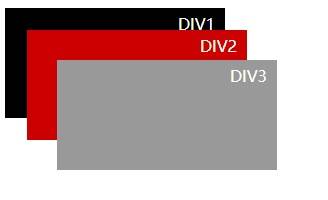
<div class="z1">DIV1</div>
<div class="z2">DIV2</div>
<div class="z3">DIV3</div>
</body>
</html>
运行效果:
实例:
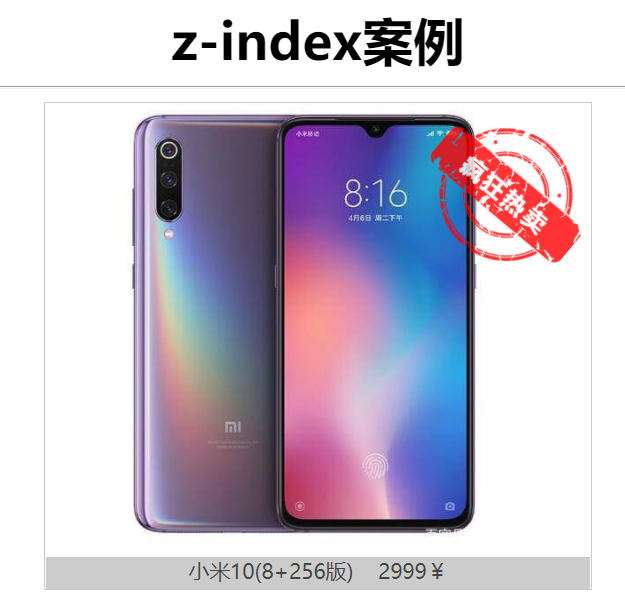
使用z-index实现商品热销效果。
<!DOCTYPE html>
<html lang="en">
<head>
<meta charset="UTF-8">
<title>Title</title>
<style>
h1, #box {
margin: 0px auto;
text-align: center;
}
#box{
position: relative;
width: 400px;
height: 400px;
}
dt img {
width: 320px;
}
dl {
margin: 0px auto;
border: 1px solid #ccc;
width: 340px;
}
dd {
margin-left: 0px;
font-size: small;
color: #444;
height: 20px;
background: #ccc;
}
.hot_bar{
z-index: 0;
position: absolute;
top: 0px;
right:24px;
width: 120px;
transform:rotate(40deg);
opacity: 0.8;
}
</style>
</head>
<body>
<h1>z-index案例</h1>
<hr>
<div id="box">
<dl>
<dt><img src="https://img.simoniu.com/小米10.jpeg"/></dt>
<dd>小米10(8+256版) 2999¥</dd>
</dl>
<img class="hot_bar" src="https://img.simoniu.com/hot_sale.png"/>
</div>
</body>
</html>
运行效果: